Interval timer for iPhone
Never unlock mid‑set again.
You unlock to check what round you are on. Ten minutes later you are somewhere in TikTok and the session is gone. Rounds keeps the round, the clock and the next movement on your Lock Screen, with pause and skip right there.
One mail, the day it lands. Coming to the App Store, iPhone, iOS 26 or later.
Work
20
Round 1 of 8
20s work · 10s rest · 8 rounds
A real Tabata, running now. The ring is the whole four minutes, and it is drawn the way the app draws it.
Setting up
Four seconds, then you train.
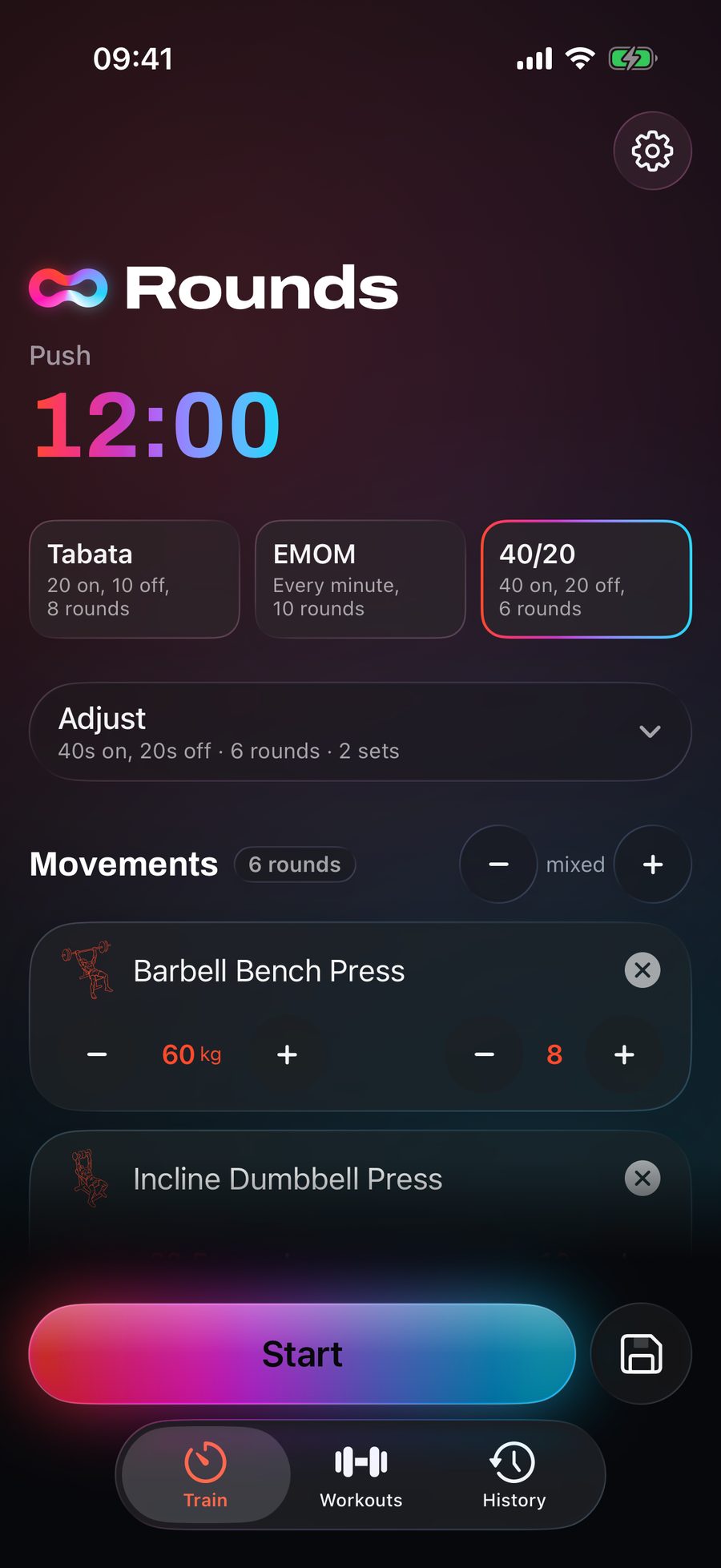
Tabata, EMOM and 40/20 are one tap each, with the shape written under the name so you know what you are picking. Adjust opens work, rest, rounds, sets and the lead-in, and every one of them moves on a thumb rather than a keyboard, which matters when your hands are chalked and the rack is booked.
Hang movements off the rounds and the timer counts them for you: the list decides how many rounds there are, and the weight you put beside a movement is the weight it says next time. Whatever you change stays changed, so the second visit is one tap and the third is muscle memory.
Mid-set
Readable from the floor.
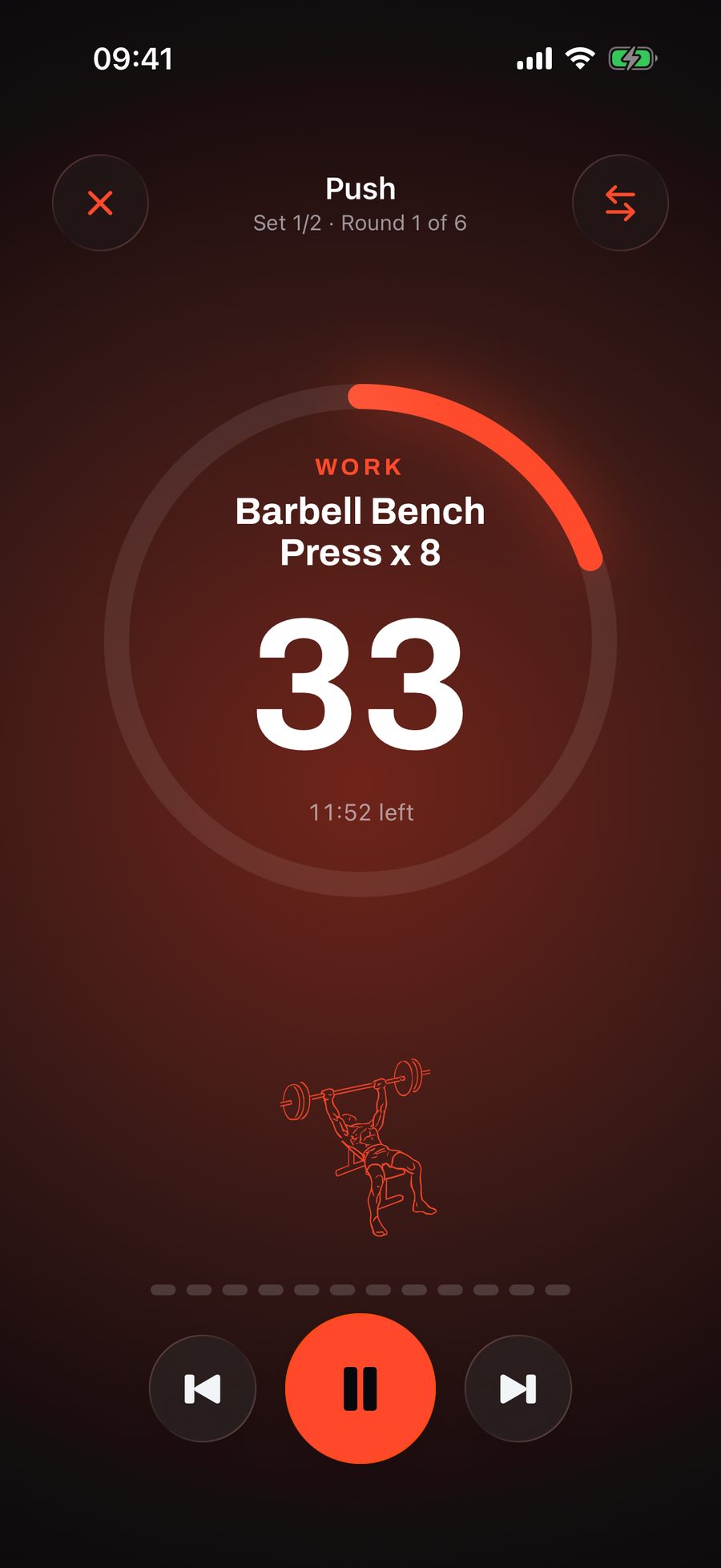
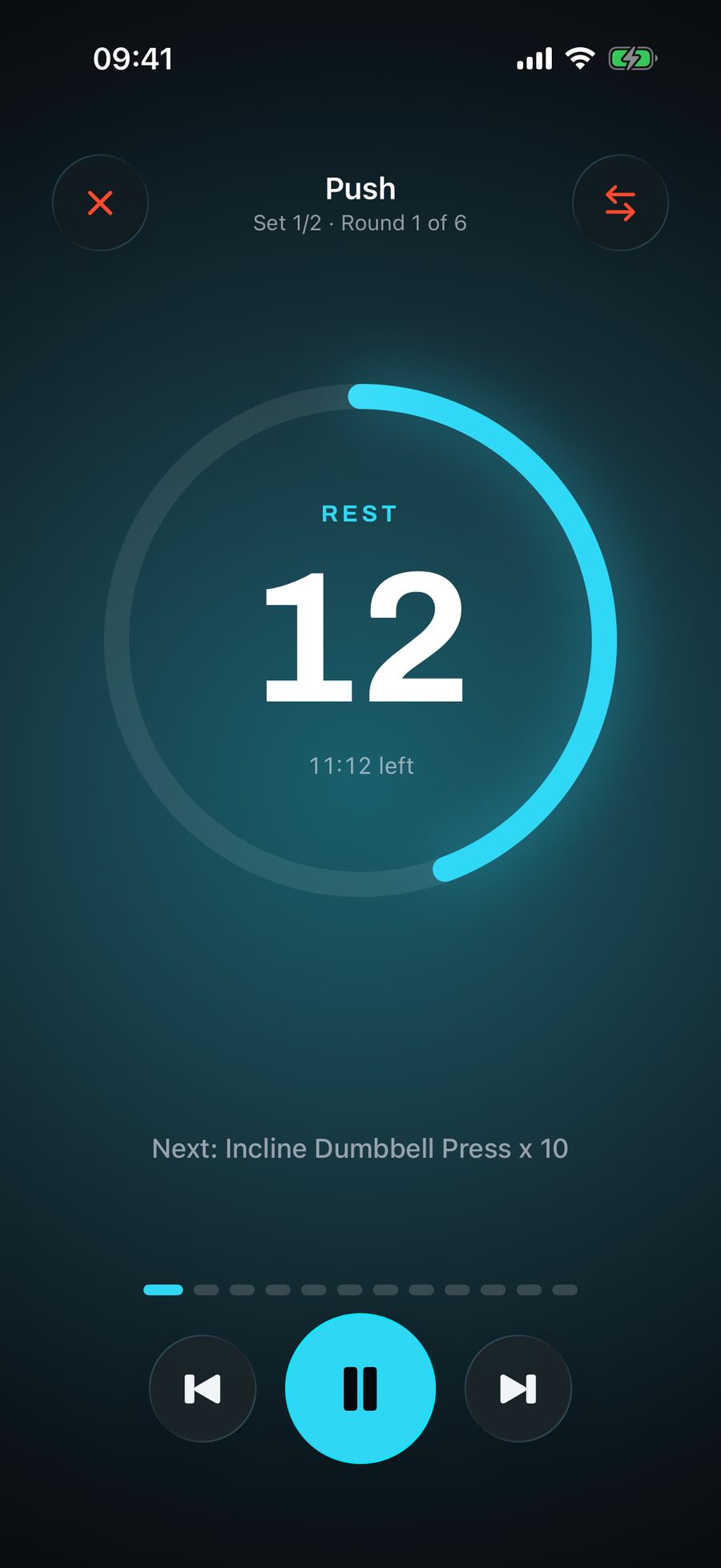
One number, at the size of the screen, so a glance from the bottom of a burpee is enough. Work is orange and rest is blue, which means the half you are in registers before you have read anything at all.
Above it, the movement and the reps you are on. Under it, the time left in the whole session, which between rounds is usually the thing you actually want to know. Rest spends the space differently and names what is coming, so you are stood over the next bar before it starts.
Live Activity
The phone stays face down.
The running interval is a Live Activity, so it is on the Lock Screen and in the Dynamic Island in all four of its sizes, with the round, the seconds left and the movement you are on. Pause and skip are buttons there too.
Between sets that is the whole difference between glancing at a timer and picking up a phone. One of those costs you three seconds. The other costs you the session.
Why it holds up
- Works in a basement
- The timer runs on the phone, so a dead signal changes nothing about the workout you are in. Finished sessions go up on their own once there is a network again.
- Cues you can hear
- A rising tone into work, a softer one into rest, three ticks before every change. It ducks your music instead of stopping it, so you never take an earbud out to check.
- It cannot drift
- The workout becomes a timeline the moment you press start, and the app reads the clock instead of counting. Lock the phone for four minutes and it comes back on exactly the right round.
Put it face down and train.
One mail, the day it lands. Coming to the App Store, iPhone, iOS 26 or later.